 3D Printing Info
Build volume
250 x 250 x 250 mm
Advertised dimensions; check usable space and variants.
Sources & dates
- Anycubic Kobra S1 product page (Specifications table) · 2026-08 · vendor
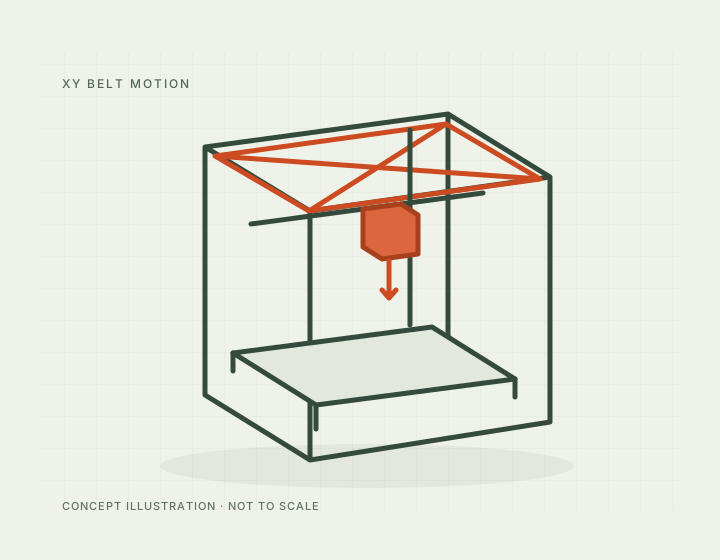
Fully enclosed CoreXY 250 mm cube with a 320 C nozzle and a 120 C bed, claimed at 46 dB in standard mode.
250 x 250 x 250 mm
Advertised dimensions; check usable space and variants.
320 C maximum nozzle temperature
Published limits; hardware and firmware limits may differ.
$349.00 with a US plug on store.anycubic.com, Aug 2026, against a compare-at price of $549.00 ($401.00 for the EU plug variant)
Dated listing, not a live offer. Read the configuration and region.
Understand the hardware, explore compatible changes and find a diagnostic starting point when something goes wrong. Expand the specification sections for every recorded value, condition and original reference.
Dimensions, construction and the hardware that moves the print.
| Property and unit | Published value and conditions | Sources and dates |
|---|---|---|
| Manufacturer & exact marketed model name (verify the exact product identity first) | Anycubic Kobra S1 | 1 source
|
| Release date (announcement and actual shipping) | Listed on the Anycubic store from 2 January 2025 (Shopify publish date) | 1 source |
| Street price (USD; dated snapshot per entry) | $349.00 with a US plug on store.anycubic.com, Aug 2026, against a compare-at price of $549.00 ($401.00 for the EU plug variant) | 1 source |
| Variants & sibling models — and how to tell them apart (spec-contamination risk) | The CoreXY line, not to be confused with the gantry/bed-slinger Kobra 3, Kobra 4 and Kobra X. Within the S line the Kobra S1 Max is a much bigger machine: 350 mm cube against 250, a 350 C hardened-steel nozzle against 320 C, 65 C active chamber heating that the S1 does not have at all, and 25.7 kg against 9.37 kg. Multicolour is sold separately on both (ACE Pro / ACE 2 Pro) | 2 sources
|
| Property and unit | Published value and conditions | Sources and dates |
|---|---|---|
| Build volume X×Y×Z (mm) — advertised vs actually usable | 250 x 250 x 250 mm | 1 source
|
| Machine footprint (mm) & clearance needed (cable/spool overhang) | 400 x 410 x 490 mm | 1 source
|
| Net weight (kg) | 9.37 kg net, 20.2 kg packaged | 1 source
|
| Enclosure: open / enclosed; panel material; door/lid | Fully enclosed - Anycubic's own wording is "Fully Enclosed CoreXY Construction". There is no active chamber heating on the S1 (that is the S1 Max's addition) | 2 sources
|
| Property and unit | Published value and conditions | Sources and dates |
|---|---|---|
| Kinematics (bedslinger i3 / CoreXY / other) | CoreXY (stated outright in Anycubic's specification table) | 1 source
|
| Property and unit | Published value and conditions | Sources and dates |
|---|---|---|
| Max print speed (claimed, mm/s) | 600 mm/s maximum print speed (manufacturer claim), 300 mm/s recommended | 1 source
|
| Recommended/typical print speed | 300 mm/s recommended print speed (manufacturer figure) | 1 source
|
| Max acceleration (claimed, mm/s²) | 20000 mm/s2 maximum acceleration, 10000 mm/s2 recommended (manufacturer claims) | 1 source
|
Extrusion, heating, leveling and material handling.
| Property and unit | Published value and conditions | Sources and dates |
|---|---|---|
| Type (direct drive / bowden) & design name | Direct drive ("short distance extrusion") | 1 source
|
A standalone feed test helps distinguish a print-only problem from a blocked filament path. Anycubic’s sequence then checks buffer return, extruder feeding, the heat sink and the hotend separately; it also asks owners to record recent filament, firmware or profile changes.
Applies to: Kobra S1 toolhead; buffer checks apply to the connected ACE Pro or ACE 2 Pro specified in the guide. This does not establish S1 Max compatibility.
The M3114 kit replaces the Anycubic Kobra S1 hotend with a matched heater/thermistor assembly and the FlowTech nozzle system, which permits cold nozzle changes. Follow the kit installation and recalibrate for the installed nozzle and filament.
Applies to: Kobra S1-specific M3114; do not infer Kobra S1 Max compatibility.
| Property and unit | Published value and conditions | Sources and dates |
|---|---|---|
| Hotend design (proprietary/standard; quick-swap mechanism?) | Quick-release hotend; 0.4 mm standard nozzle expandable to 0.25, 0.6 and 0.8 mm | 1 source
|
| Max nozzle temp claimed AND firmware max temp limit (both values) | 320 C maximum nozzle temperature | 1 source
|
| Property and unit | Published value and conditions | Sources and dates |
|---|---|---|
| Max bed temp claimed AND firmware limit | 120 C maximum hotbed temperature on a PEI spring steel build plate - the highest bed ceiling of any Anycubic machine in this file except the S1 Max | 1 source
|
| Property and unit | Published value and conditions | Sources and dates |
|---|---|---|
| Auto bed leveling: probe technology (inductive / strain gauge / load cell / touch probe) | LeviQ 3.0 auto-levelling with Z-offset, plus area levelling | 1 source
|
This bucket catches purge material at the S1 waste outlet and mounts using two existing screws. The creator provides a print-oriented 3MF file for the accessory.
Applies to: Kobra S1; the listing does not establish S1 Max fit. Keep the outlet unobstructed and confirm the bucket does not interfere with its discharge path.
This replacement hub keeps the four ACE Pro tubes and external-spool tube connected, reducing tube changes when switching feed sources. Choose the standard V2 or PC4-M6 fitting version; the creator supplies inverted files for the Kobra 3 Max.
Applies to: Kobra 3, Kobra 3 Max and Kobra S1 Combo are explicitly named; Max needs the inverted geometry. This is not an automatic fifth-color upgrade.
| Property and unit | Published value and conditions | Sources and dates |
|---|---|---|
| Filament runout sensor (type, location) | Filament detection with auto resume, filament entanglement detection and power-loss resume | 1 source
|
| Multi-material/multi-color capability or official upgrade path | Multicolour is sold separately - the ACE Pro / ACE 2 Pro units are not included with the bare S1 | 1 source
|
| Property and unit | Published value and conditions | Sources and dates |
|---|---|---|
| Officially supported filament list | PLA, PETG, TPU, ABS, ASA | 1 source
|
Firmware, controls, connections and calibration.
For owners who need configuration access and local frontends, Rinkhals adds SSH, Moonraker and Mainsail/Fluidd while retaining the Kobra S1 stock interface and calibration workflow. Follow the model-specific package and recovery instructions.
Applies to: Kobra S1, including Combo; use the S1 package and tested stock firmware, not S1 Max files.
| Property and unit | Published value and conditions | Sources and dates |
|---|---|---|
| Firmware base & current version (Klipper fork / Marlin fork / proprietary) | Kobra OS, with pressure advance and flow calibration supported | 1 source
|
| Property and unit | Published value and conditions | Sources and dates |
|---|---|---|
| Display: size, type, touch? | 4.3-inch capacitive touchscreen | 1 source
|
| On-device UI capabilities (model preview, per-object controls, etc.) | Touchscreen plus slicing software, the Anycubic app and USB (print only); AI spaghetti detection and object-skip supported | 1 source
|
| WiFi (band/standard), Ethernet, USB ports, SD/flash-drive | Printer UI, slicing software, Anycubic app, USB (print only) | 1 source
|
| Camera: built-in / optional? Resolution & framerate (verify — marketing often omits real fps) | Standard HD camera fitted, but only 480p - lower than the 720p units on the S1 Max, Kobra 4 and Kobra X | 3 sources
|
Published safeguards, support terms and independent evidence.
| Property and unit | Published value and conditions | Sources and dates |
|---|---|---|
| Noise: claimed dB and independently measured dB (distance/method) | 46 dB or less in standard mode and 44 dB or less in quiet mode - manufacturer figures with no distance or method stated, so not comparable with an independently measured reading | 1 source
|
| Property and unit | Published value and conditions | Sources and dates |
|---|---|---|
| Warranty length & support reputation (evidence, not vibes) | One year on the complete machine (excluding gifted and second-hand machines), with component warranty periods that vary by part; the period starts on the delivery date and is suspended while a replacement is in transit. Anycubic states it will follow longer local statutory periods where they apply | 1 source
|
This guide presents the catalog’s sourced record for this exact model. Source dates belong to each reference; a page update does not mean every specification has been rechecked.
Prices are dated listing snapshots, with configuration, regional and sale conditions. They are not current offers. Unknown values remain unfilled.
Firmware, variants and available accessories can change. Read the original reference before making a purchase or planning a process.
Firmware, modifications and troubleshooting links are checked against the model and stated hardware or firmware revision. A creator’s compatibility claim is not a fit test by this site. Official troubleshooting describes a diagnostic route; individual reports do not establish a failure rate.